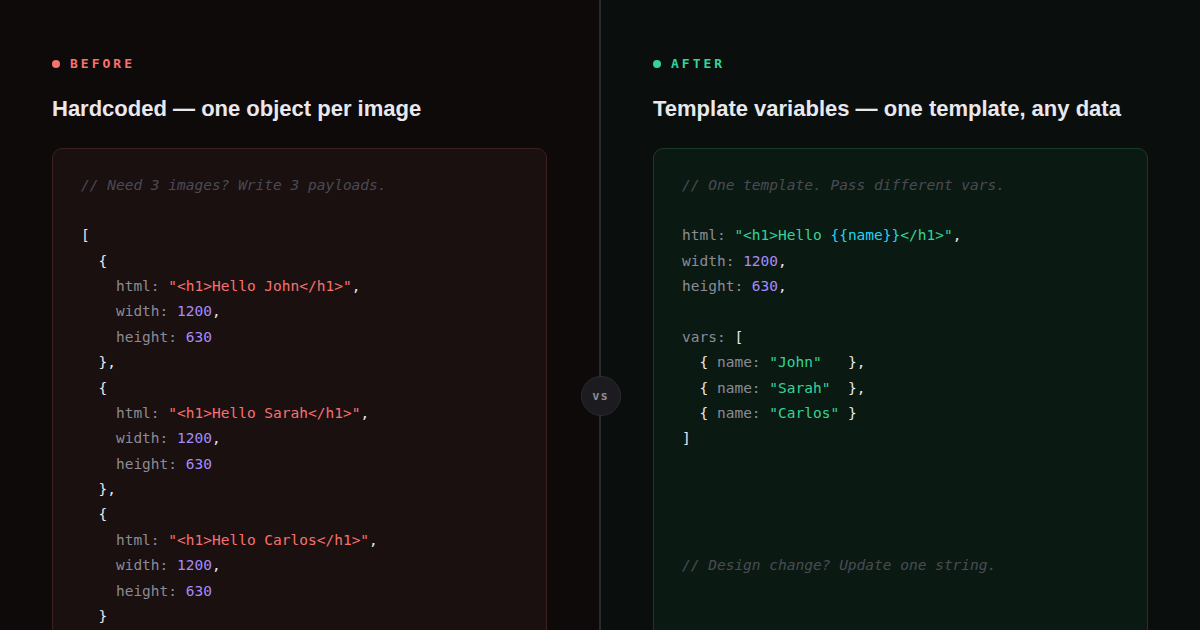
The problem with string interpolation
The obvious approach when generating dynamic images is to build the HTML string in your code, injecting values wherever they’re needed:
// Common first approach
const html = `
  <div style="font-family: sans-serif; padding: 40px; background: #fff;">
    <h1>${post.title}</h1>
    <p>by ${post.author} — ${post.date}</p>
    <div style="color: #666;">${post.category}</div>
  </div>
`;

const res = await fetch('https://renderpix.dev/v1/render', {
  method: 'POST',
  headers: { 'X-API-Key': key, 'Content-Type': 'application/json' },
  body: JSON.stringify({ html, width: 1200, height: 630 }),
});
This works for simple cases. But there are real problems once your templates grow or your stack gets more complex:
- XSS risk. If
post.titlecontains a<script>tag or unescaped HTML, you’ve just injected it into your template. You need to sanitize every value before interpolation. - Encoding issues. Apostrophes, ampersands, angle brackets — any of these in user data can break the HTML structure or the JSON payload.
- Template portability. Your HTML template is now JavaScript code. You can’t store it in a database, load it from a file at runtime, or let a non-developer edit it without touching the code.
- No-code pipelines are blocked. In n8n, Make, or Zapier, there’s no way to do template literal interpolation. You have to manually build the HTML string in a Code node, which defeats the purpose of a no-code tool.
Template variables: the cleaner approach
The RenderPix API has a built-in solution: write {{key}} placeholders directly in your HTML, then pass a vars object with the values. The API substitutes them server-side before rendering.
const html = `
  <div class="card">
    <h1>${escapeHtml(post.title)}</h1>
    <p>${escapeHtml(post.author)}</p>
    <span>${escapeHtml(post.category)}</span>
  </div>
`;

// Template is coupled to your JS
// Must sanitize every value
// Can't reuse across languages// Template lives in its own file
// or database row
const html = `
<div class="card">
<h1>{{title}}</h1>
<p>{{author}}</p>
<span>{{category}}</span>
</div>
`;
// Values stay out of the HTML
body: JSON.stringify({ html, vars: {
title: post.title,
author: post.author,
category: post.category,
} })How it works
The vars field accepts a flat key-value object. Before the HTML is passed to the renderer, every occurrence of {{key}} is replaced with the corresponding value. The substitution happens on the server, in a context that handles encoding correctly — you don’t need to escape values yourself.
const res = await fetch('https://renderpix.dev/v1/render', {
  method: 'POST',
  headers: {
    'X-API-Key': process.env.RENDERPIX_KEY,
    'Content-Type': 'application/json',
  },
  body: JSON.stringify({
    html: `<!doctype html><html><body style="margin:0;width:1200px;height:630px;
      background:#0f172a;display:flex;align-items:center;justify-content:center">
      <div style="color:#f8fafc;font-family:sans-serif;text-align:center;padding:60px">
        <div style="font-size:13px;color:#64748b;letter-spacing:4px;
          text-transform:uppercase;margin-bottom:16px">{{category}}</div>
        <h1 style="font-size:48px;font-weight:700;line-height:1.1;
          margin-bottom:20px">{{title}}</h1>
        <p style="font-size:20px;color:#94a3b8">by {{author}}</p>
      </div>
    </body></html>`,
    vars: {
      title: "10 Things I Learned Shipping My First SaaS",
      author: "Elif Yildiz",
      category: "Engineering",
    },
    width: 1200,
    height: 630,
    format: 'png',
  }),
});
const { image } = await res.json(); // base64 PNG
Key rule: The template HTML is a static string. It can live in a .html file, a database column, an environment variable — anywhere. The vars object is the only thing that changes between renders.
Storing templates separately from code
Once your template doesn’t have interpolation in it, it becomes a proper static asset. Some patterns that open up:
Load from file
import { readFileSync } from 'fs';

const ogTemplate = readFileSync('./templates/og-image.html', 'utf8');
// og-image.html contains {{title}}, {{author}}, {{category}}

async function generateOG(post) {
  const res = await fetch('https://renderpix.dev/v1/render', {
    method: 'POST',
    headers: { 'X-API-Key': process.env.RENDERPIX_KEY, 'Content-Type': 'application/json' },
    body: JSON.stringify({
      html: ogTemplate,
      vars: { title: post.title, author: post.author, category: post.category },
      width: 1200, height: 630, format: 'png',
    }),
  });
  return res.json();
}
Store in a database
-- templates table
SELECT html FROM image_templates WHERE slug = 'og-default';

-- At render time
const { rows } = await db.query(
  'SELECT html FROM image_templates WHERE slug = $1', ['og-default']
);

body: JSON.stringify({
  html: rows[0].html,   // template with {{placeholders}}
  vars: { title, author, category },
  width: 1200, height: 630,
})
Now a designer or content editor can update the template without touching application code. They edit the HTML, save it back to the database, and the next render picks it up automatically.
Batch rendering with vars
Template variables become especially useful when combined with batch rendering. You write the template once, then render dozens of variations in a single request by passing a different vars object per item:
const students = [
  { name: 'Elif Yildiz',     course: 'Web Development', date: 'June 2026' },
  { name: 'Thomas Müller',   course: 'API Design',      date: 'June 2026' },
  { name: 'Sophie Dubois',   course: 'Data Security',   date: 'June 2026' },
];

const certTemplate = readFileSync('./templates/certificate.html', 'utf8');
// certificate.html: {{name}}, {{course}}, {{date}}

const res = await fetch('https://renderpix.dev/v1/batch', {
  method: 'POST',
  headers: { 'X-API-Key': process.env.RENDERPIX_KEY, 'Content-Type': 'application/json' },
  body: JSON.stringify({
    items: students.map(s => ({
      html: certTemplate,
      vars: { name: s.name, course: s.course, date: s.date },
      width: 1600, height: 1131, format: 'png',
    })),
  }),
});

const { results } = await res.json();
// results[0].image, results[1].image, results[2].image — one PNG each
Without template variables, you’d be building three separate HTML strings, interpolating values into each, and hoping nothing in a student’s name breaks the JSON payload. With vars, the template is sent once per item (efficiently) and only the data changes.
Using template variables in n8n
This is where template variables really shine for no-code workflows. In n8n, you can’t do JavaScript template literals in an HTTP Request node — but you can pass a vars object built from expression fields:
- Store your HTML template in a Set node or retrieve it from a database node. It contains raw
{{name}}placeholders. - In the RenderPix HTTP Request node, set the body to JSON. The
htmlfield is the static template. Thevarsfield is an object built from n8n expressions:{ "name": "{{ $json.name }}" }(n8n expressions, not RenderPix placeholders). - RenderPix receives the static HTML and the populated
varsobject, does the substitution server-side, and returns the PNG.
Don’t confuse the two syntaxes. n8n uses {{ $json.field }} (with spaces) for its own expression language. RenderPix uses {{key}} (no spaces) in the HTML template. They serve different purposes: n8n expressions populate the vars object; RenderPix substitutes the vars values into the HTML.
What vars doesn’t do
A few things to be aware of:
- No logic.
varsis simple string substitution — there are no conditionals, loops, or filters. If you need logic, compute the final string in your code and pass it as a variable value. - Flat keys only.
varsis a flat key-value object, not nested.{{user.name}}won’t resolve a nested object — flatten it to{{userName}}before passing. - Values are injected as raw strings. If you pass HTML in a variable value (
<strong>bold</strong>), it will render as HTML markup, not as escaped text. This is intentional for rich content but requires care if the value comes from user input.
Putting it together: a reusable OG image generator
Here’s a complete example — a small module that keeps the template in a file and exposes a single generateOG() function:
// lib/og.ts
import { readFileSync } from 'fs';
import { join } from 'path';

const template = readFileSync(join(process.cwd(), 'templates/og.html'), 'utf8');

interface OGParams {
  title: string;
  author: string;
  category?: string;
  date?: string;
}

export async function generateOG(params: OGParams): Promise<Buffer> {
  const res = await fetch('https://renderpix.dev/v1/render', {
    method: 'POST',
    headers: {
      'X-API-Key': process.env.RENDERPIX_KEY!,
      'Content-Type': 'application/json',
    },
    body: JSON.stringify({
      html: template,
      vars: {
        title:    params.title,
        author:   params.author,
        category: params.category ?? 'Blog',
        date:     params.date ?? new Date().toLocaleDateString('en-GB', { month: 'long', year: 'numeric' }),
      },
      width: 1200,
      height: 630,
      format: 'png',
    }),
  });

  if (!res.ok) throw new Error(`RenderPix error: ${res.status}`);
  const { image } = await res.json();
  return Buffer.from(image.replace(/^data:image\/png;base64,/, ''), 'base64');
}
The templates/og.html file stays as plain HTML that any designer can open in a browser, edit, and commit. The generateOG() function never touches HTML — it only passes data.
Summary
- String interpolation couples your HTML to your code, requires manual sanitization, and breaks in no-code tools.
varskeeps the template static and the data separate — the same pattern used by every serious templating system.- Templates stored as files or in a database can be edited without touching application code.
- Batch rendering with
varsmakes bulk image generation (certificates, OG cards, social posts) a single API call with one template and many data objects. - In n8n and Make,
varsis the only practical way to inject dynamic data into HTML templates without writing code.
Try template variables for free
100 renders/month, no credit card required. Write your HTML once, render it with any data.